Virtual Baby Shower Ideas: How to Host One in 6 Easy Steps
Part of our guide: Baby Shower Ideas: The Complete Guide

Family and friends do not always live in the same city. A virtual baby shower lets everyone join from home, and it still feels like a party if you plan it well. This guide gives you 6 steps, a $72 budget for 10 guests, 3 easy video call games and a wishes round, a mailed shower kit, and the privacy rules to keep the call safe.
- Guests: about 10, on a video call.
- Length: 60 to 75 minutes. Longer calls get tiring.
- Cost: about $72, including a mailed kit for each guest.
- Roles: a host, a co-host, and a tech helper.
- Activities: 3 games and a wishes round, each about 10 to 15 minutes.
- Safety: use a password, a waiting room, and ask before you record.
Top Decor Picks for this Setup
Curated essentials on Amazon to help you recreate this setup easily.
Baby Shower Banner Blank Pastel
Host backdrop.
Pastel Balloon Garland Kit Small
Backdrop garland.
Warm White String Lights 20 ft
Soft glow.
Flat Kraft Mailing Envelopes 25 Pack
Shower kits.
Table of Contents
- The $72 budget
- Step 1: Pick the date, the time, and the platform
- Step 2: Send the invitations and the shower kits
- Step 3: Set up your space
- Step 4: Plan 3 games and a wishes round
- Step 5: Plan the 75 minutes
- Step 6: Follow up after the call
- If something goes wrong
- 3 variations
- Safety and privacy tips
- Mistakes to avoid
- FAQ
- Related articles
The $72 budget
| Item | Cost |
|---|---|
| 10 mailed shower kits ($4 each, with postage) | $40 |
| Host banner | $8 |
| String lights, 20 ft | $9 |
| 3 small prizes | $15 |
| Total | $72 |
These are planning estimates. Prices vary by store and region, and postage depends on the weight and where you mail. A kit can be a card, a tea bag, and a small treat in a flat envelope. The $4 assumes a light letter-size envelope mailed within the United States, so check the weight and your postage, and expect to pay more for a heavy kit or a far away guest. You can skip the kits and save $40, but they make the shower feel real.
Step 1: Pick the date, the time, and the platform
Choose a date about 4 weeks ahead, and a time that works for most guests. Time zones matter. For example, noon Eastern is about 9 a.m. Pacific and about 5 p.m. in the United Kingdom, though the gap can change for a week or two when clocks change. Use a time zone converter to confirm the time for every guest. Weekends in the late morning work well in the U.S.
Pick a video call app that your guests already use. Some free plans limit the length of group calls (for example, Zoom’s free plan has had a 40 minute limit on group meetings), so check your plan, and book a paid plan or a longer slot if you need one. Make the link, add a password, and turn on the waiting room.
Step 2: Send the invitations and the shower kits
Send the invitations 3 weeks before the shower. Include the date, the time with the time zone, the link, and the dial-in number for guests who cannot use video. Ask guests to reply, and to say if they have a food allergy or need captions. Ask each guest for a baby photo for game 1, and give a deadline of 1 week before.
Mail the shower kits 1 to 2 weeks ahead, and 2 weeks ahead for guests who live far away, so they arrive in time. If a kit is late, the guest can use a bingo card that you email as a PDF. A flat kit can hold a card with the date, a tea bag or a cocoa packet, a small treat, and a paper bingo card. Tell guests to open the kit when the shower starts.
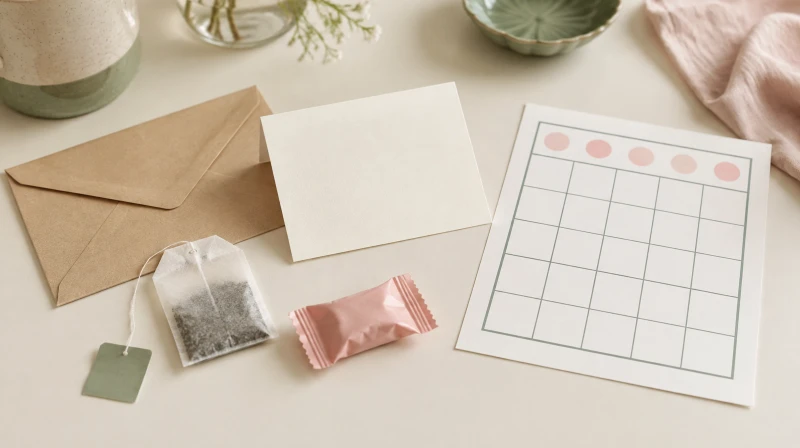 A flat kit costs about $4 with postage and fits in a regular envelope.
Step 3: Set up your space
The host needs a quiet spot with good light. Put a laptop on a stack of books at eye level, with a window in front of the screen, not behind it. Hang a banner and string lights on the wall behind the host, so the picture looks festive. Test the sound, and use earphones if there is an echo.
Choose a spot where the guests will see the parent-to-be and the gifts. Keep a glass of water close by. Charge the laptop, and plug it in during the call.
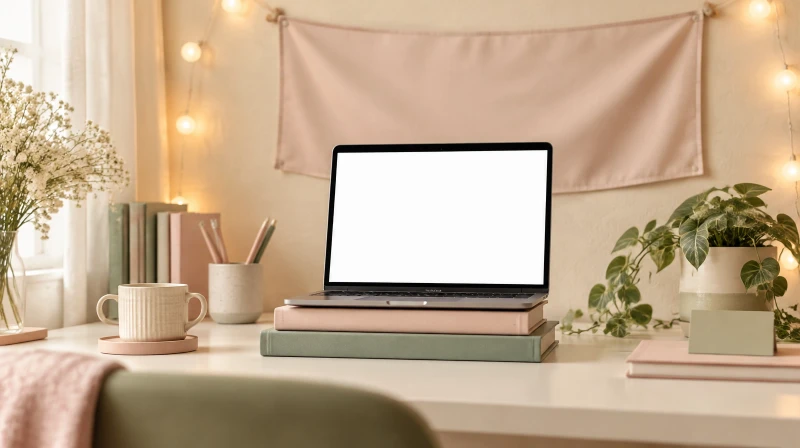 Put the light in front of the host and the banner behind.
Step 4: Plan 3 games and a wishes round
Pick activities that work well on video. Each takes about 10 to 15 minutes.
- Guess the baby photo. Show the baby photos one at a time on a slide, and let guests type their guess in the chat. The one with the most right guesses wins a prize.
- Shower bingo. Guests mark a square on the paper bingo card when the parent-to-be opens a gift that matches, such as a blanket or a book. The first to call out bingo wins.
- Name word scramble. Scramble 8 words about babies, such as “diaper” or “cradle”, and guests solve them in the chat. The fastest 3 get a point.
- Wishes round (an activity, not a game). Each guest unmutes and gives one short wish or tip. The host reads a few more that were sent in by message. Ask before you record this round.
For more game ideas, see our baby shower games. For advice cards, see our baby shower advice card ideas.
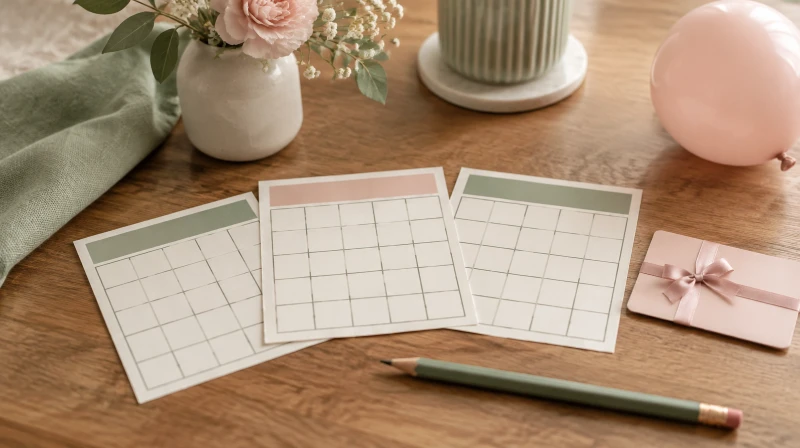 Paper bingo cards come in the kit, so guests have something to hold.
Step 5: Plan the 75 minutes
Use this plan, and keep the host and the co-host in charge of the time. Bingo runs during the gift opening, so it shares one slot with the gifts.
| Time | What happens |
|---|---|
| 0:00 to 0:10 | Welcome and open the kits |
| 0:10 to 0:25 | Game 1, guess the baby photo |
| 0:25 to 0:40 | Gift opening, with shower bingo played at the same time |
| 0:40 to 0:55 | Game 3, name word scramble |
| 0:55 to 1:10 | Wishes round |
| 1:10 to 1:15 | Thank you and goodbye |
Gifts can go in one of two ways. Guests can ship them to the parent-to-be before the shower, and open them on the call, or they can use a registry and open nothing live. If gifts are opened live, ask the parent-to-be to hold each up to the camera and to read the card.
 Gifts shipped ahead can be opened on the call.
Step 6: Follow up after the call
Send a thank-you message within a week, with a photo from the call if guests agreed. If you recorded the call, share it only with the guests, and not on public sites. Write down who sent what, so thank-you notes are quick. For wording, see our baby shower thank-you notes.
If something goes wrong
- The host loses the connection: the co-host takes over the call and keeps the plan going, while the host rejoins.
- A kit is late: send the bingo card as a PDF, and let the guest open their kit later.
- A guest cannot use video or print: they can listen by phone, and play bingo by writing the squares on any paper.
- A game falls flat: move on to the wishes round, and use the game later if there is time.
3 variations
- Small shower (5 guests): skip the kits, and use 2 games.
- Hybrid shower: gather 6 to 8 people in one room, and add the others on a big screen.
- Evening shower: start at 7 p.m. in the host’s time zone, and keep it to 60 minutes.
Safety and privacy tips
- Use a password and a waiting room. Do not post the link in public.
- Ask before you record. Say so at the start of the call.
- Mute guests on entry. Let the host unmute them for their turn.
- Turn on captions for guests who need them.
- Keep addresses private. Share the parent-to-be’s address only with guests who send gifts.
- Have a dial-in option for guests with a weak connection.
- Ask about allergies before you send food in kits.
Mistakes to avoid
- A call that is too long. Keep it to 75 minutes.
- No tech helper. Ask someone to manage the chat and the waiting room.
- Posting the link online. Send it only to invited guests.
- Forgetting time zones. Write the time with its zone.
- Skipping a test. Test the sound and the video 1 day before.
FAQ
How do you host a virtual baby shower?
Pick a date 4 weeks ahead, send invitations 3 weeks ahead with a password-protected link, mail shower kits 1 to 2 weeks ahead, and run a 60 to 75 minute call with 3 short games and a wishes round. Have a host, a co-host, and a tech helper.
How long should a virtual baby shower be?
About 60 to 75 minutes. Longer calls get tiring, so use 3 games and a wishes round of 10 to 15 minutes each, plus a welcome, gift opening, and goodbye.
How much does a virtual baby shower cost?
About $72 for 10 guests: $40 for mailed kits, $8 for a banner, $9 for string lights, and $15 for 3 small prizes. Without kits, it costs about $32. These are planning estimates.
What games work on a video call?
Guess the baby photo, shower bingo, and a word scramble, plus a wishes round. Each takes 10 to 15 minutes and needs only the chat, a slide, and a paper card.
How do you handle gifts at a virtual baby shower?
Ask guests to ship gifts to the parent-to-be ahead of time, or to use a registry. The parent-to-be can open gifts live and hold each one up to the camera. Share the address only with guests who send gifts.
How do you keep a virtual shower safe?
Use a password and a waiting room, do not post the link in public, ask before you record, and mute guests on entry. Offer a dial-in number for guests with a weak connection.
Related articles
- Baby Shower Planning Checklist
- Baby Shower Games
- Baby Shower Invitation Wording Ideas
- Baby Shower Thank You Notes

📌 Pin this for later!
Recreate This Look: Complete Supply Checklist
Every prop, decor item, and material identified in our styled photos, linked directly to top-rated supplies on Amazon.
Eye level screen.
Soft face light.
Clear sound.
Shower bingo.
Game pencils.
Kit treat.
Kit treat.
Kit treat.
Kit card.
Prize holders.
Weigh kits.
Gift corner.
Gift ribbon.
Desk decor.
Printed cards.
Better picture.